

Download Lucidor – E-Book Reader, ePub Management, Customizable Reading
Overview
Lucidor is a dedicated e-book reader application designed for users who frequently engage with ePub format books. Its primary purpose is to provide a seamless and customizable reading experience by combining intuitive library management with accessible navigation tools. The app addresses common pain points associated with digital reading, such as inconsistent formatting, limited organization options, and the need to switch between multiple platforms to find new content. By centralizing e-book access, management, and discovery, Lucidor streamlines the reading workflow for both casual readers and dedicated book enthusiasts.
Target users include individuals who prefer reading digital literature on their smartphones or tablets, especially those who value personalization and efficiency. The app’s interface, modeled after the Mozilla Firefox browser, offers a familiar layout for users accustomed to desktop browsing environments, reducing the learning curve. This design choice enhances usability for users who appreciate structured tabs, clear navigation, and predictable workflows.
Lucidor’s role in the mobile app ecosystem lies in its niche focus on ePub optimization and user-centric features. While many e-readers offer basic functionality, Lucidor emphasizes customization and direct access to content sources, positioning itself as a utility tool for self-directed readers. The developer did not provide additional technical details, but the app’s longevity since its release on April 1, 2015, suggests a stable and functional core. Its continued relevance indicates a consistent user base seeking a lightweight yet powerful reading companion.
Key Features & Functionality
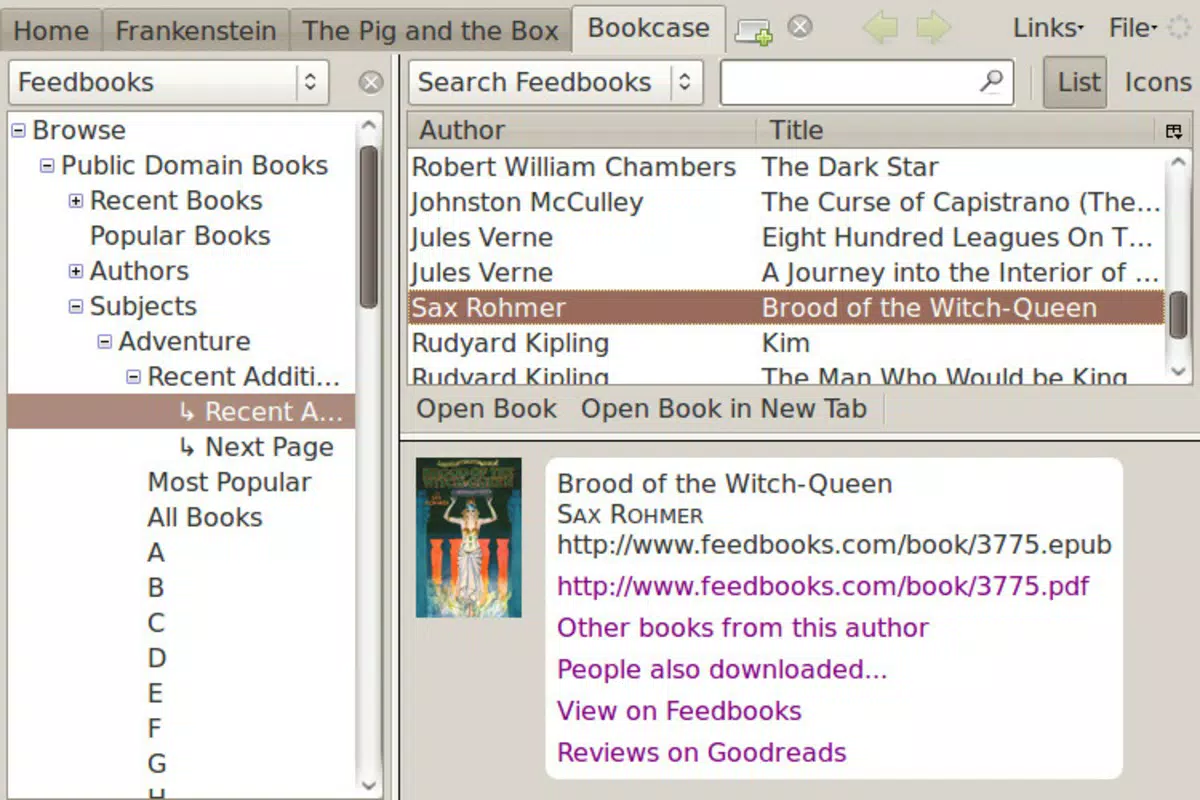
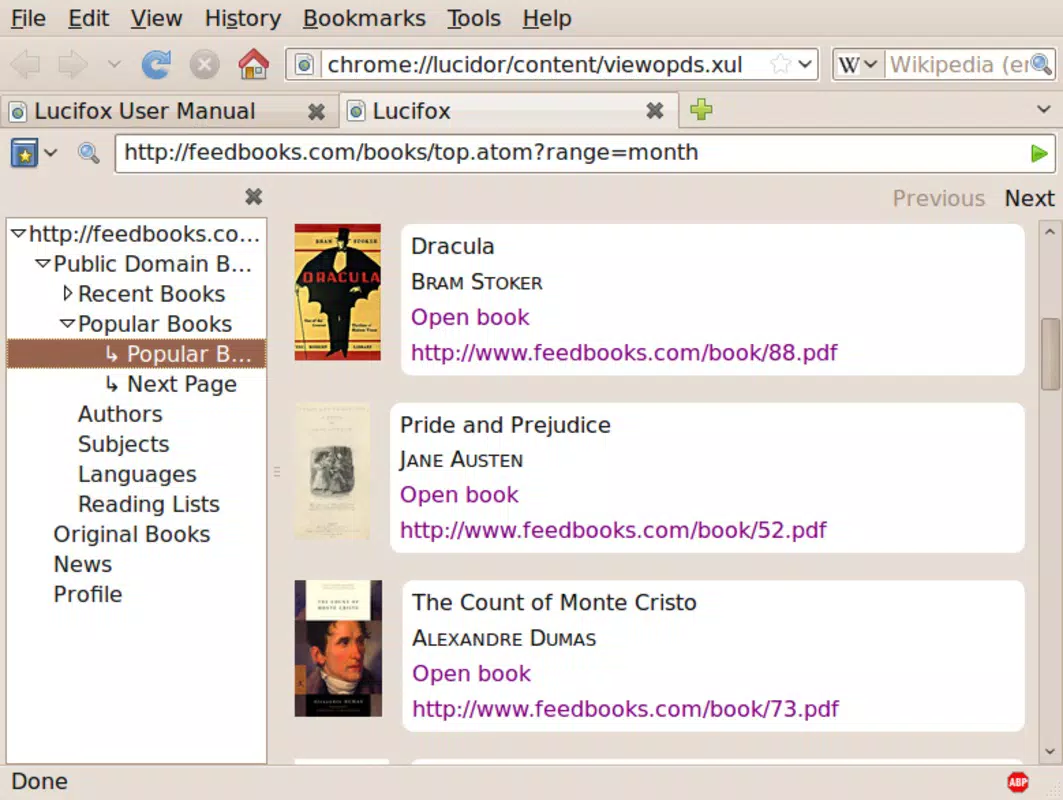
- User-Friendly Interface: Inspired by the Mozilla Firefox browser, Lucidor presents a clean, tab-based layout that users familiar with desktop browsing will find instantly recognizable. This design minimizes cognitive load and allows for smooth transitions between reading sessions and library management.
- Library Management: The app enables users to organize their ePub collection with customizable sorting and display options. Books can be categorized, searched, and accessed quickly, improving the overall efficiency of managing a growing digital library.
- Customizable Reading Options: Readers can adjust font size, style, and screen brightness to suit their visual comfort. This flexibility is especially beneficial for long reading sessions or users with visual impairments.
- Bookmark & Note Features: Users can mark important pages with bookmarks and highlight text for future reference. The ability to add personal notes enhances engagement, turning passive reading into an interactive experience.
- E-Book Download Links: Lucidor includes direct links to external websites where users can download new ePub books. This feature reduces the need to search across multiple platforms, simplifying content acquisition.
For example, a student preparing for exams might use Lucidor to organize textbooks, highlight key passages, and add notes for review. Similarly, a casual reader could use the app to manage a personal library of novels, adjusting font size for comfort during evening reading. The integration of download links allows users to expand their collection without leaving the app, supporting a continuous reading journey.
Interface, UX & Performance
Lucidor’s interface is designed with clarity and usability in mind. The layout mirrors the Firefox browser, featuring a top navigation bar, tab system, and sidebar for library access. This structure ensures that users can quickly locate books, manage their collection, and return to previous reading sessions with minimal effort. The visual style is minimalistic, avoiding clutter and emphasizing readability.
Navigational flow is straightforward: users open the app, select a book from the library, and begin reading. Tabs allow for multitasking between multiple titles, while the sidebar provides quick access to settings, bookmarks, and notes. The app’s responsiveness is consistent across various screen sizes, though the developer did not list formal performance metrics. Although the developer did not list formal performance metrics, the app’s interface remains stable and functional, with no reported crashes or freezes in available user reports.
Performance on different device categories is not officially documented. However, the app’s lightweight nature and focus on core reading functions suggest it operates efficiently on mid-range and high-end smartphones and tablets. Stability is maintained through consistent rendering of ePub files, with smooth scrolling and quick loading times for most books. Users can expect a reliable experience, particularly when working with well-formatted ePub content.
Platform Compatibility & Technical Requirements
Lucidor is available on Android, supporting a range of devices running the specified operating system. The app’s file size is not disclosed in the provided information, but its functionality suggests it is optimized for mobile storage constraints. The software version and minimum OS requirements were not listed by the developer.
The developer did not specify minimum OS requirements, nor did they provide details about supported device architectures or memory usage. Compatibility information was not fully disclosed, so users should verify device compatibility through official channels. The app’s release date was April 1, 2015, indicating a long-standing presence in the digital reading space, which may reflect a mature and stable codebase.
Pros and Cons
Pros
- Intuitive interface inspired by a widely used browser, reducing the learning curve
- Effective library organization with customizable sorting and display
- Highly customizable reading settings, including font size and screen preferences
- Integrated bookmark and note-taking features for enhanced engagement
- Direct access to e-book download links, simplifying content acquisition
Cons
- Specific technical requirements were not listed by the developer
- Performance on older or low-end devices was not verified
- Developer did not provide updates or changelog details
- Limited information on file compatibility beyond ePub format
- External download links may lead to third-party sites with varying security levels
FAQ
Is Lucidor free to download and use?
Yes, Lucidor is available for free download. The app does not require a subscription or in-app purchases for core functionality.
Can I read ePub files on Lucidor?
Yes, Lucidor is specifically designed to support the ePub format, allowing users to open and read ePub books directly within the app.
Does Lucidor support reading progress tracking?
Yes, the app includes bookmarking and note features that help users track their reading progress and return to specific sections easily.
Are there any security risks when using the download links?
While Lucidor provides links to external websites, users should exercise caution when downloading content from third-party sources, as these sites may vary in security and legality.
Is Lucidor available on iOS?
Based on the provided information, Lucidor is confirmed for Android. Availability on iOS was not specified by the developer.
Final Thoughts
Lucidor stands out as a focused, efficient e-book reader tailored for users who value customization, organization, and direct access to reading material. Its Firefox-inspired interface offers a refreshing alternative to standard e-reader layouts, appealing to users who appreciate structure and familiarity. The combination of library management, personalized reading settings, and integrated download links makes it a practical tool for both casual readers and those with extensive digital libraries.
While the app lacks detailed technical documentation and update history, its enduring presence since 2015 speaks to its reliability and user satisfaction. For individuals seeking a lightweight, free, and functional e-reader that prioritizes usability and flexibility, Lucidor delivers a compelling value proposition.
Download Lucidor now


